of.
Guide to buying tickets online - spring 2024
BELOW IS A GUIDE ON HOW TO BUY TICKETS ONLINE FOR OPEN REHEARSALS, WORK REHEARSALS AND REHEARSAL PROGRAMMES.
NOTE: This is only a guide to the procedure for purchasing tickets via the website. Nothing can be purchased here and all prices and events are examples only. All instructions and important information are marked with a red circle on the images. The guide is written to be read on a computer, so the images may look strange if read on a smartphone. Please also note that any problems in the system should be reported to the Concert Hall's Ticket Office and NOT to the Friends of the Concert Hall. Tickets can also be purchased by calling the Koncerthuset Ticket Office on 3520 6262.
Ticket sales open on Tuesday 16 January 2024 at 11:00.
Before you start buying tickets, you need to create a profile on the DR Koncerthuset website, which you will need later. It can be created by following this link. If you already have a profile, have your login details ready.
Do not book tickets through multiple browsers/multiple windows.
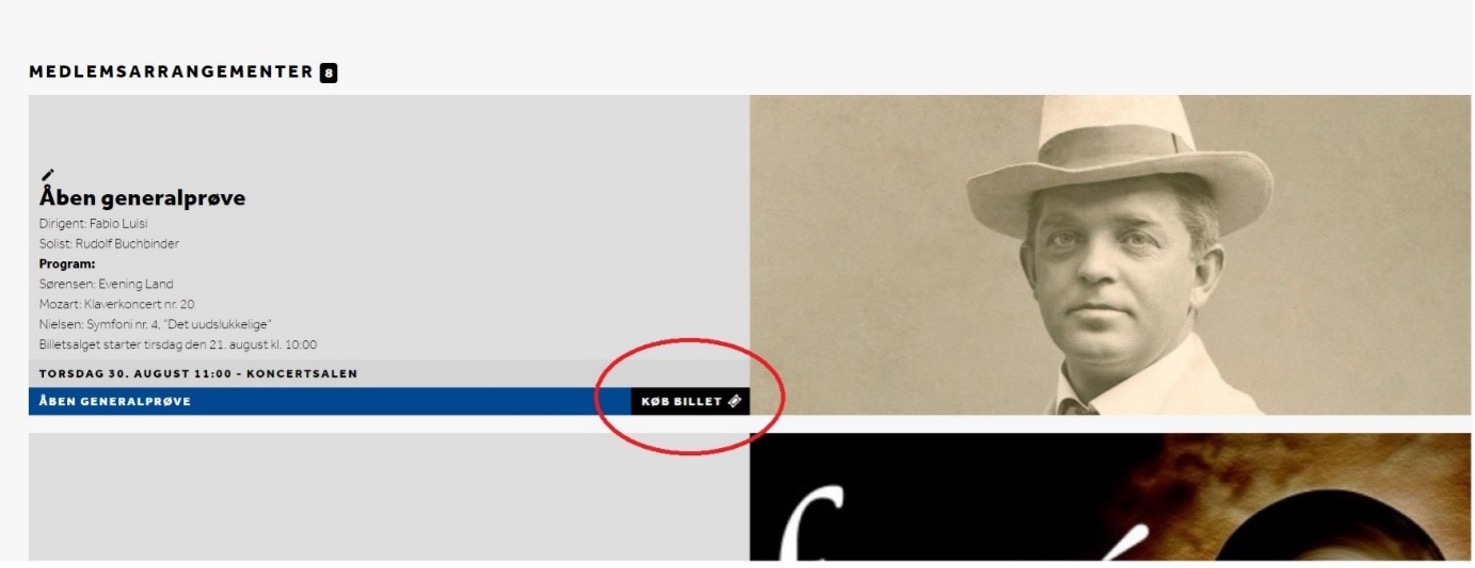
When ticket sales open, there will be a "Buy ticket" button next to each of our events as shown below:
text
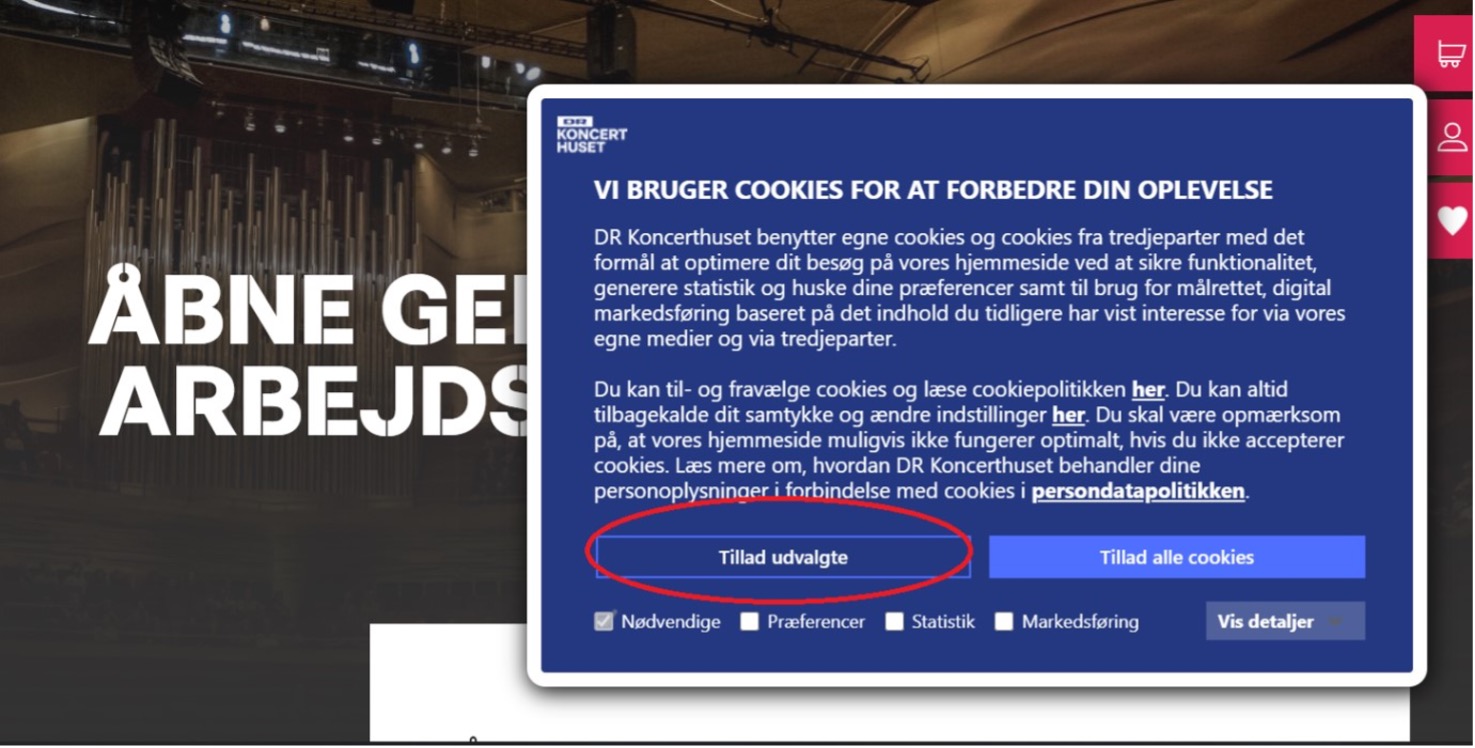
Tap it to go to the page where you can buy tickets. Once you have clicked on it, you may see a box asking you to accept cookies. Tap 'Allow selected' or 'Allow all cookies*:
text
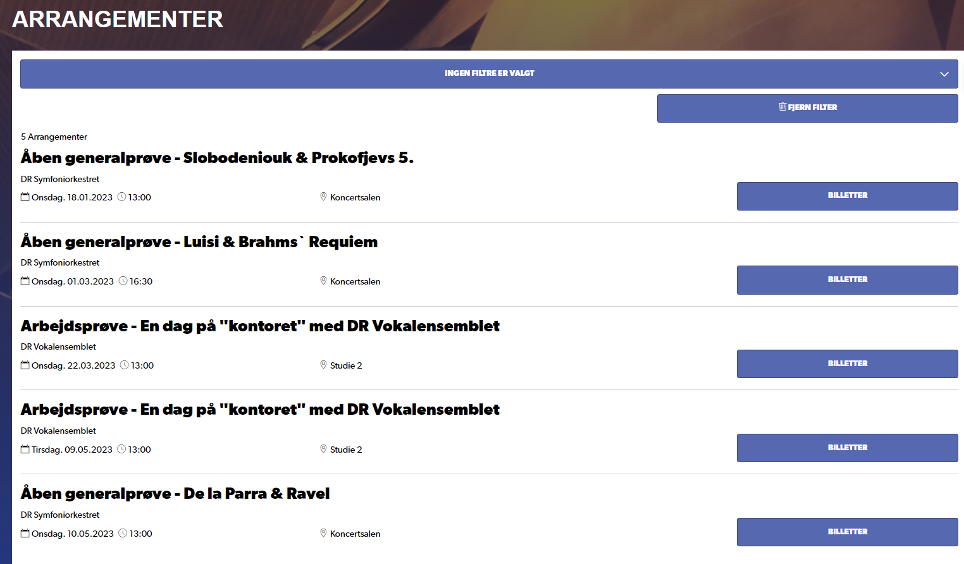
Once you have accepted, or if it doesn't appear, scroll down the page to get an overview of all our events. Tap on the event
text
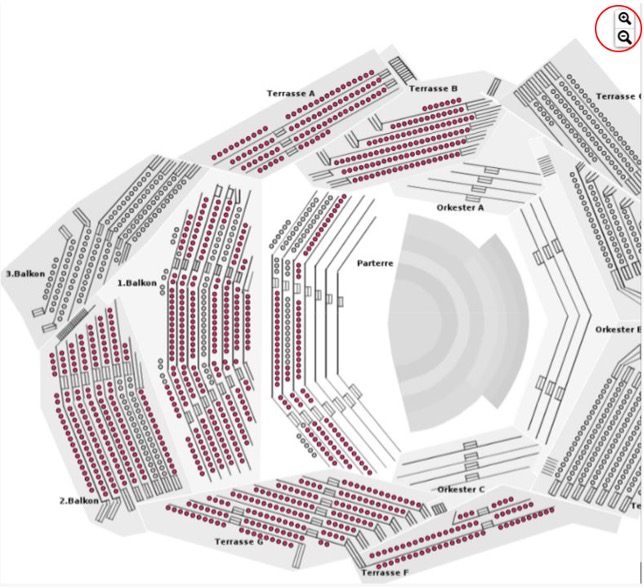
You will now be taken to an overview of the hall for the event you have selected. For rehearsals, you get an overview of the entire hall and you can zoom either by turning the wheel on your mouse or by pressing the buttons in the top right corner:
text
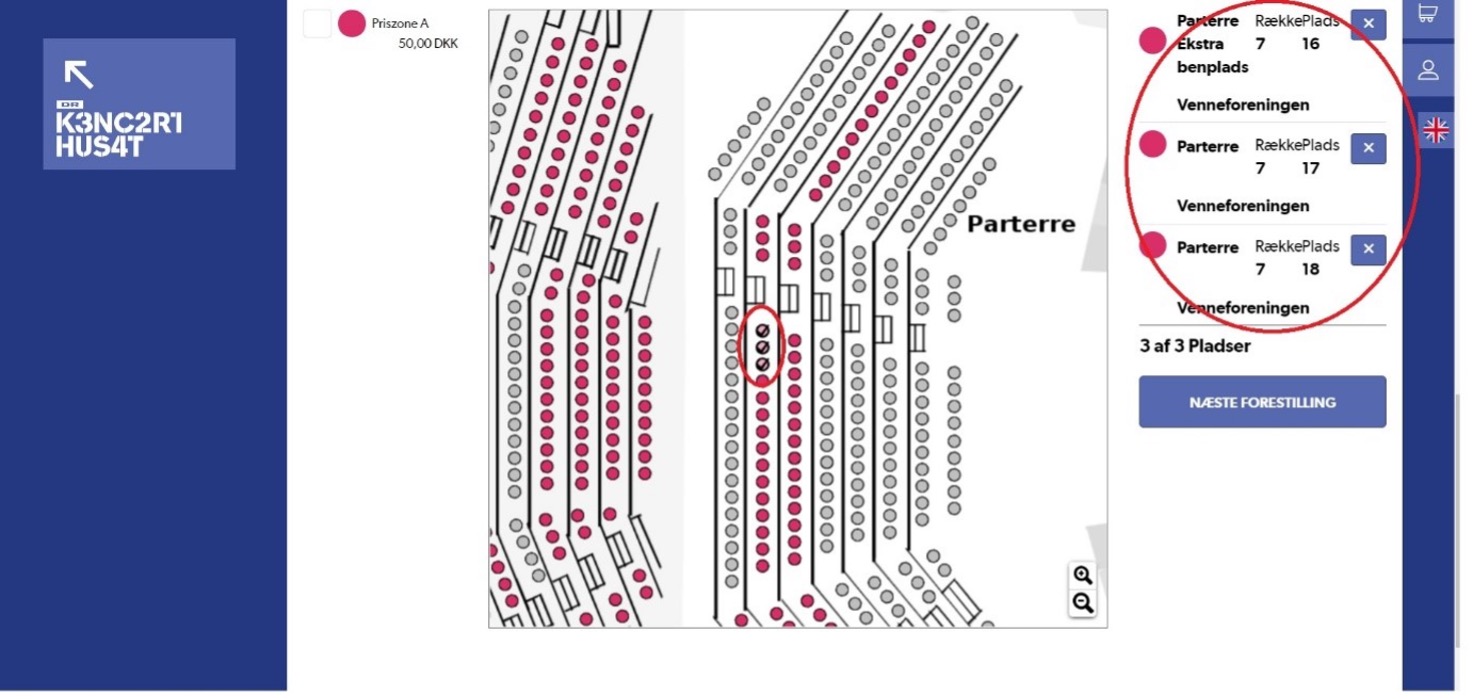
Drag around the hall until you find the seats you want, then tap them one by one until you have the number you want. Once you have selected a seat, it will change colour and be marked with a check mark. Note that the free spaces are coloured red. On the right side of the screen you can see an overview of the selected seats for this event:
text
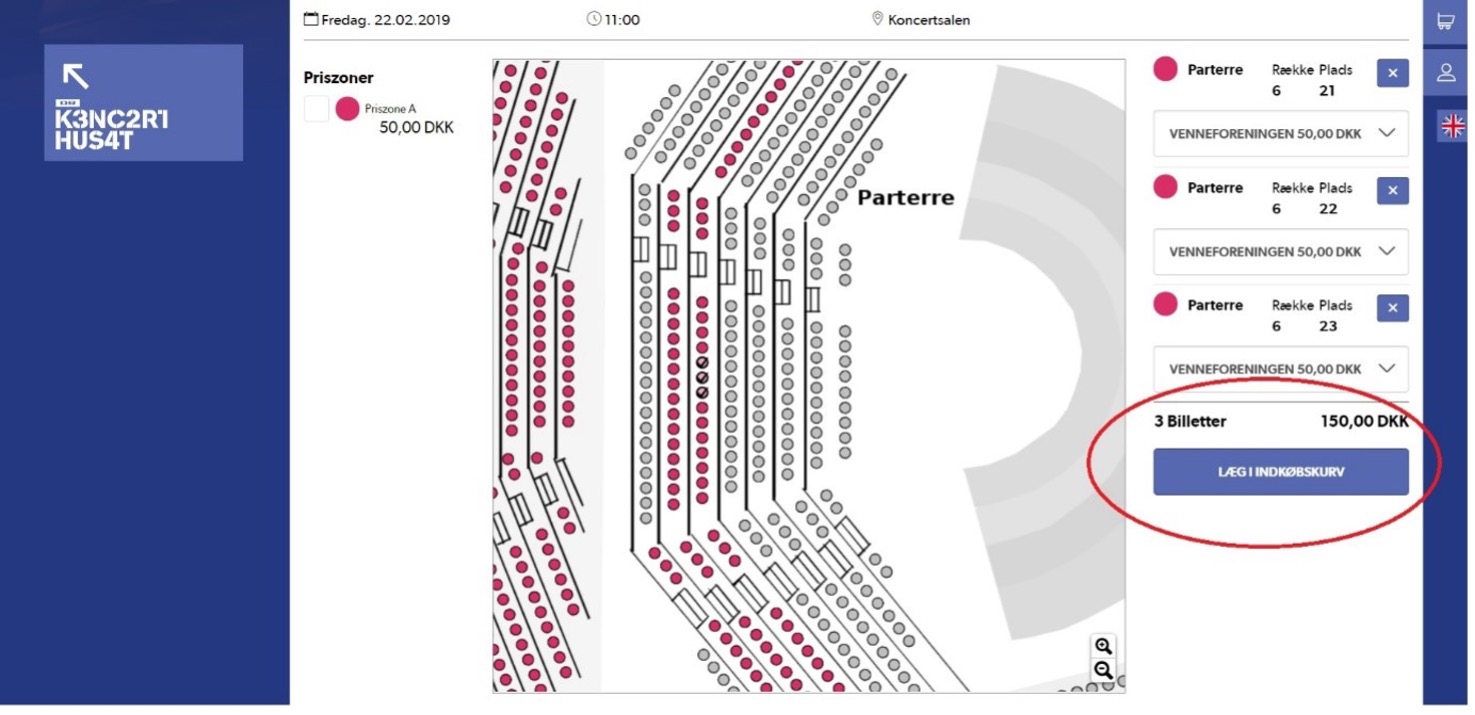
Once you have selected all the seats you want for an event, click 'Add to basket' to reserve the tickets:
text
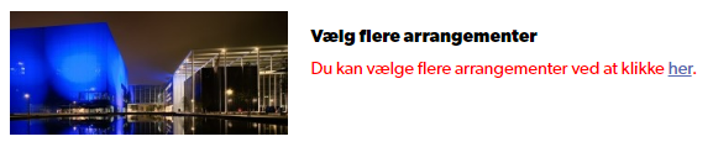
You will now be taken to an overview of all tickets you have booked so far, as well as a link to other available events:
text
Click "here" if you want to book tickets for multiple events and repeat the above procedure for each event you want tickets for.
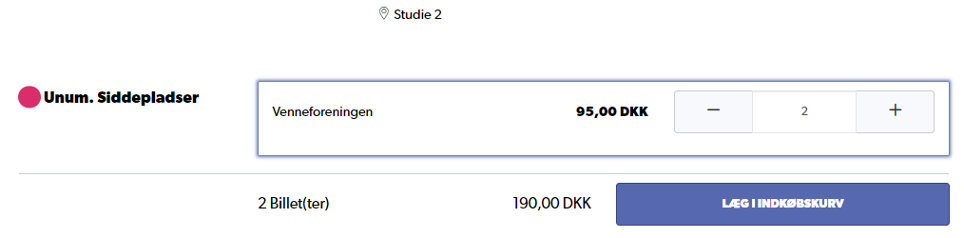
Note that if the event is unnumbered, it will look like this instead of a floor plan:
text
Here you simply select the quantity by clicking on the plus until you reach the desired quantity and then click add to basket.
In the overview of the tickets you have reserved, you can change your choices. If you want to change tickets, tap on the pencil to return to the overview of the hall, and if you want to delete the reserved tickets completely, tap on the trash can:

text
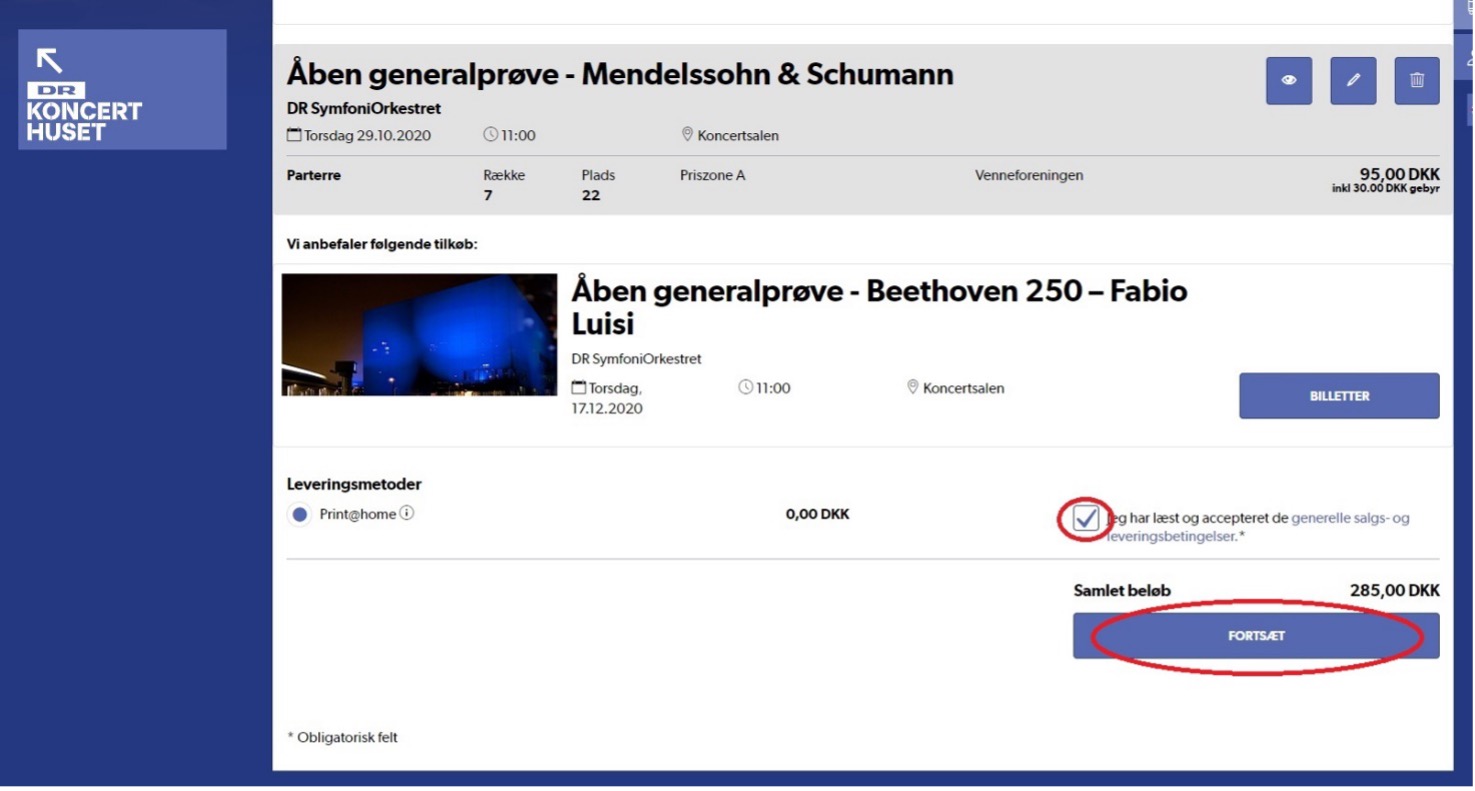
If all tickets are as they should be, move to the bottom of the page and press 'I have read and accepted the general terms and conditions' and press 'Continue':
text
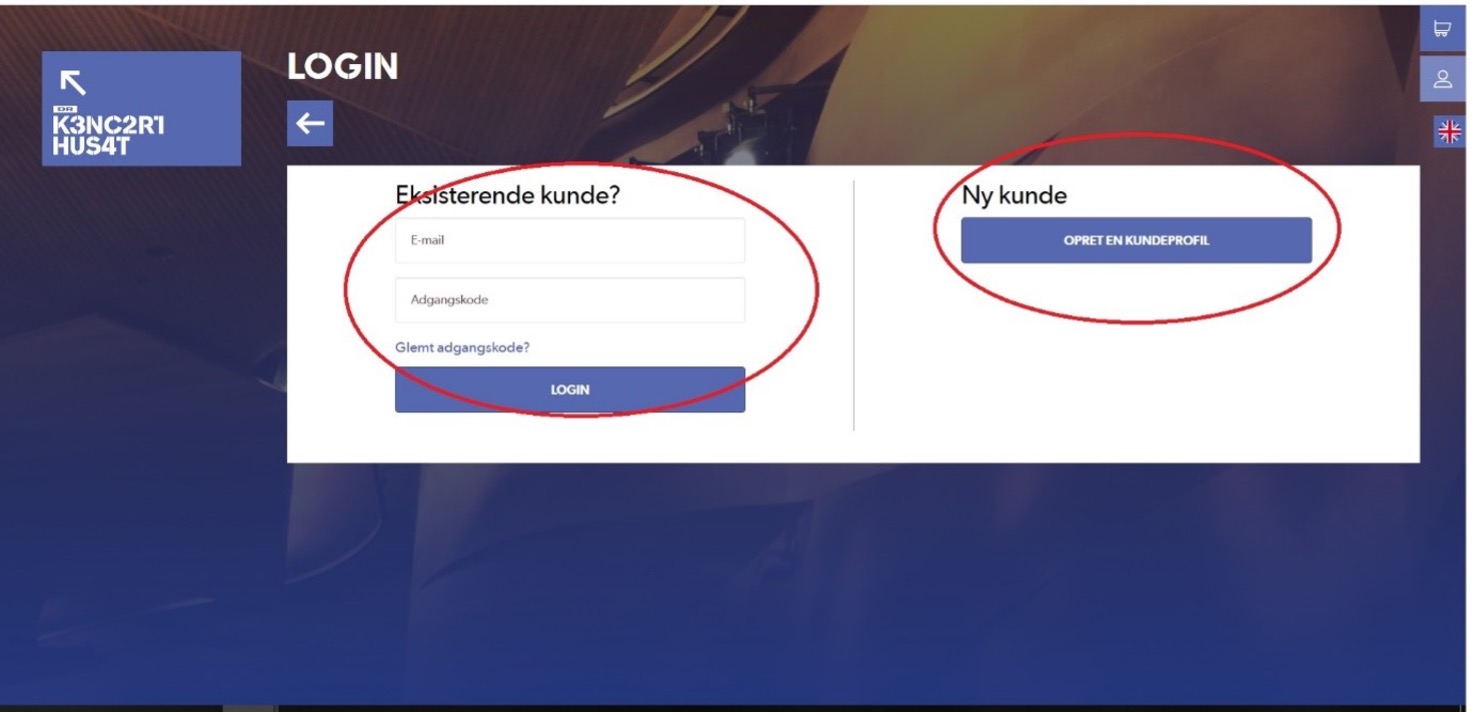
You will now be taken to the page where you need to log in. Remember that this is NOT your Friends of DR Koncerthuset login, but the one for DR Koncerthuset. If you haven't created a login, you can also do it from here:
text
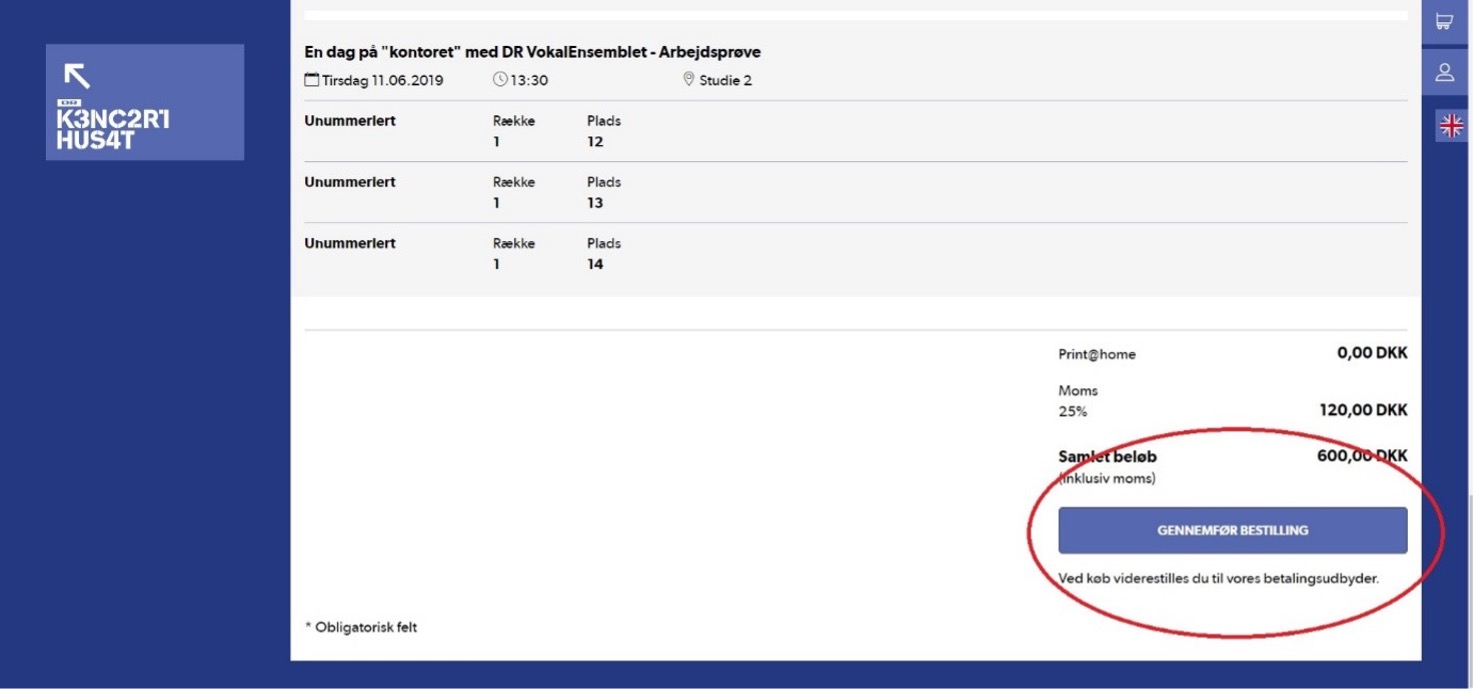
Once you are logged in, you will be taken to a final summary page of your purchase. If everything is still correct, click "Complete Order" at the bottom of the page and you will be guided to the payment module:
Note: Once you have clicked 'Complete Order' you cannot go back and change your order, so double-check that everything is as it should be..
text
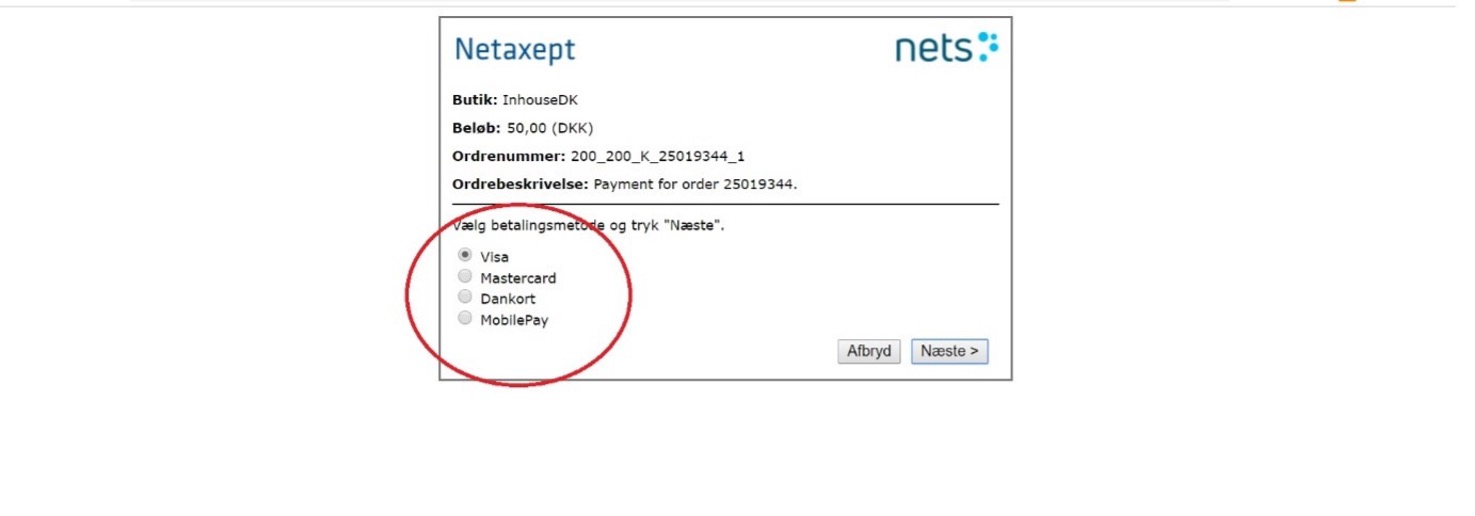
Select card type and enter your details:
text
Congratulations! You will now receive a confirmation and the tickets will be sent to your email.